
Batch API Generation
Batch API Generation Important feature
Batch API Generation scans either one controller class or all controllers in a package and its subpackages, then generates and saves the discovered APIs directly to Fast Request.
Generate APIs for a class
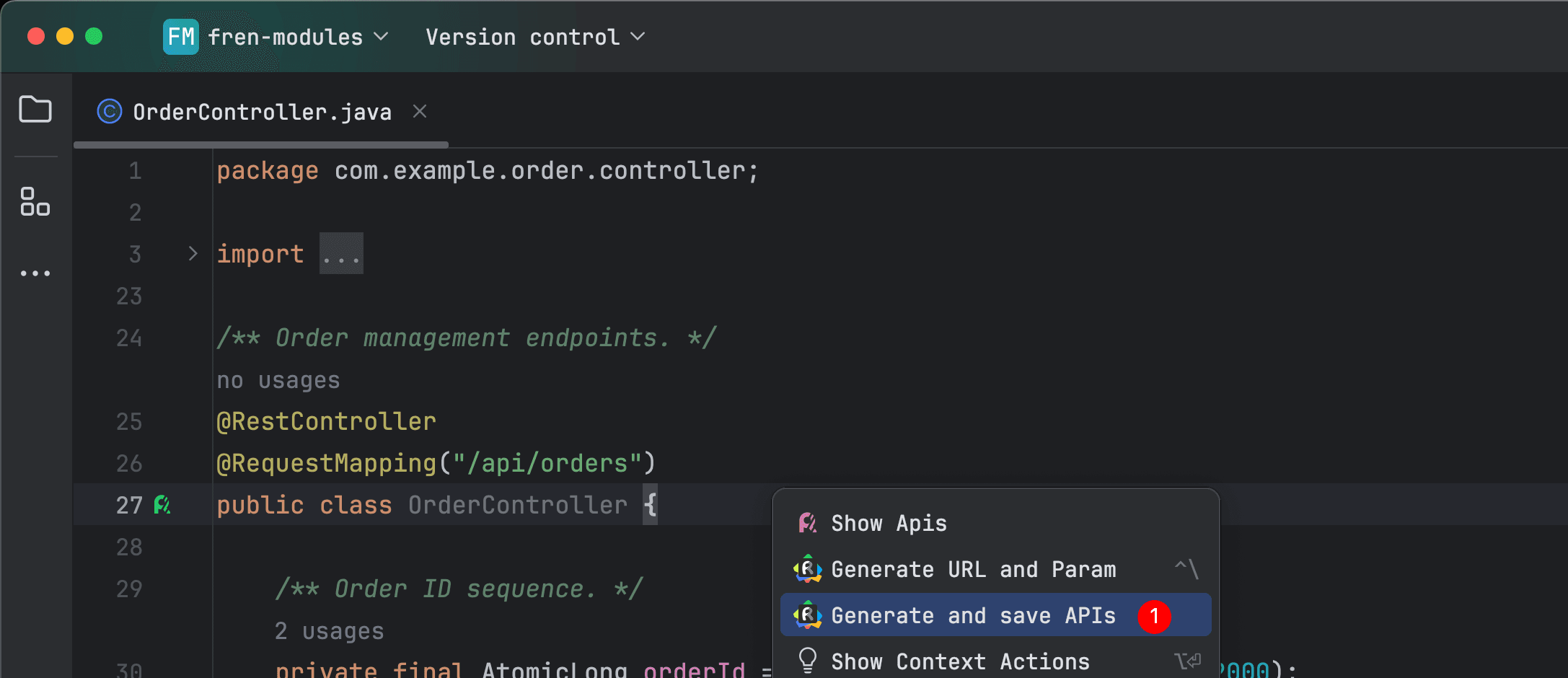
Right-click anywhere in a Java/Kotlin controller file and select Generate and save APIs. The caret does not need to be on the class name or a method.
All APIs in the current class are generated and saved.
Generate APIs for a package
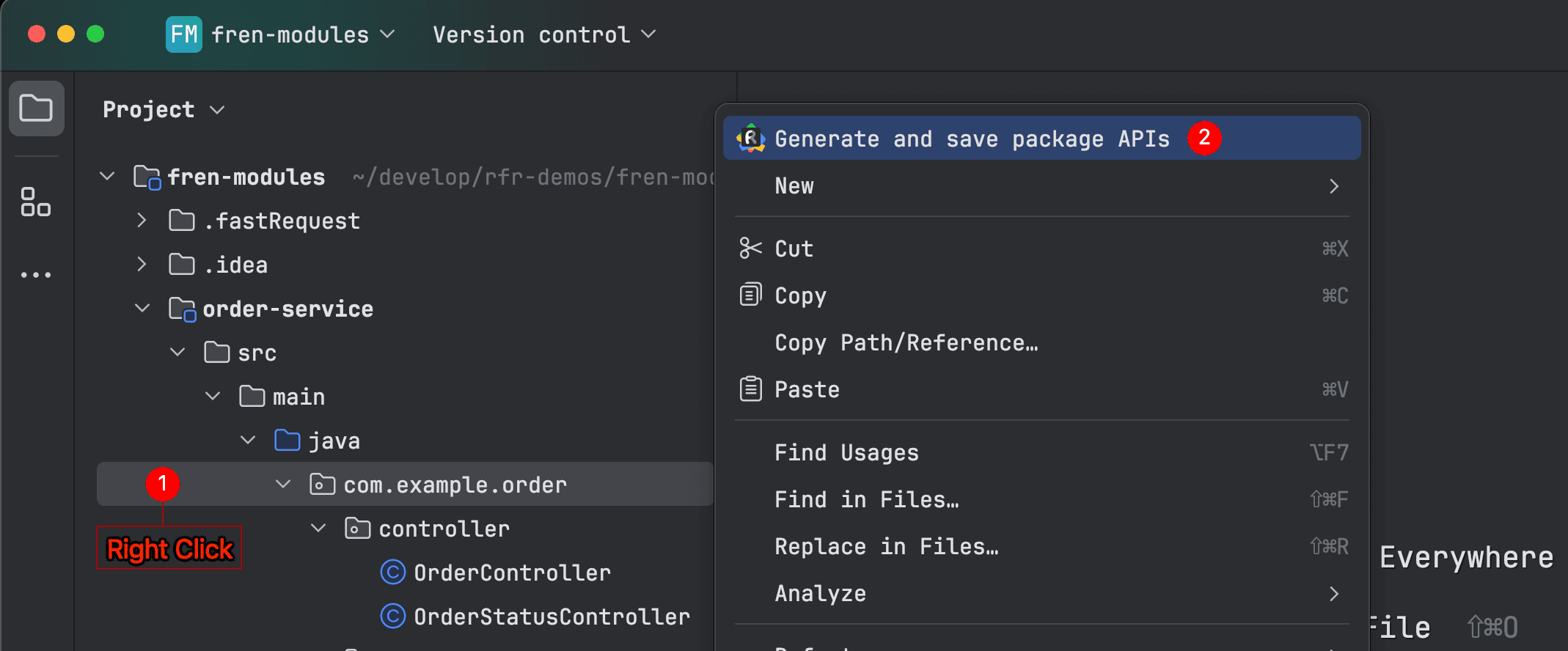
In the Project view, right-click a production source package and select Generate and save package APIs at the top of the menu. Fast Request recursively scans Java/Kotlin controllers in that package and its subpackages. Test and non-production sources are excluded.
Confirmation and conflicts
Before execution, the dialog shows the scope, controller count, API count, project, environment, and domain. Choose how existing APIs are handled:
- Skip existing APIs: create only APIs that have not been saved.
- Overwrite Default parameters: update the Default parameter group of existing APIs.
- Cancel: do not run the task.
Results
APIs are processed one by one in the background with visible progress. If generation, AI optimization, or document synchronization fails for one API, the failure is recorded and the next API continues.
The completion notification summarizes created, updated, skipped, and failed items and includes failure details.
AI optimization and Online Document
- With Optimize parameters after API generation enabled, every API is optimized before it is saved. A failed optimization falls back to the normal generated values.
- With automatic Online Document synchronization enabled, every successfully saved API is synchronized using its final values.
Tips
For a large package, verify the current environment and domain first, then choose the conflict strategy based on whether existing parameter values must be preserved.