
Run Method
Run Method
Run Method supports running Java/Kotlin methods directly. It generates parameters from the method signature and calls Spring/Solon Bean methods inside the running application.
Prerequisites
The target application must be running. The target method must be public, non-static, and not a constructor, and its class must be resolvable as a Bean inside the running application container.
Trigger Method
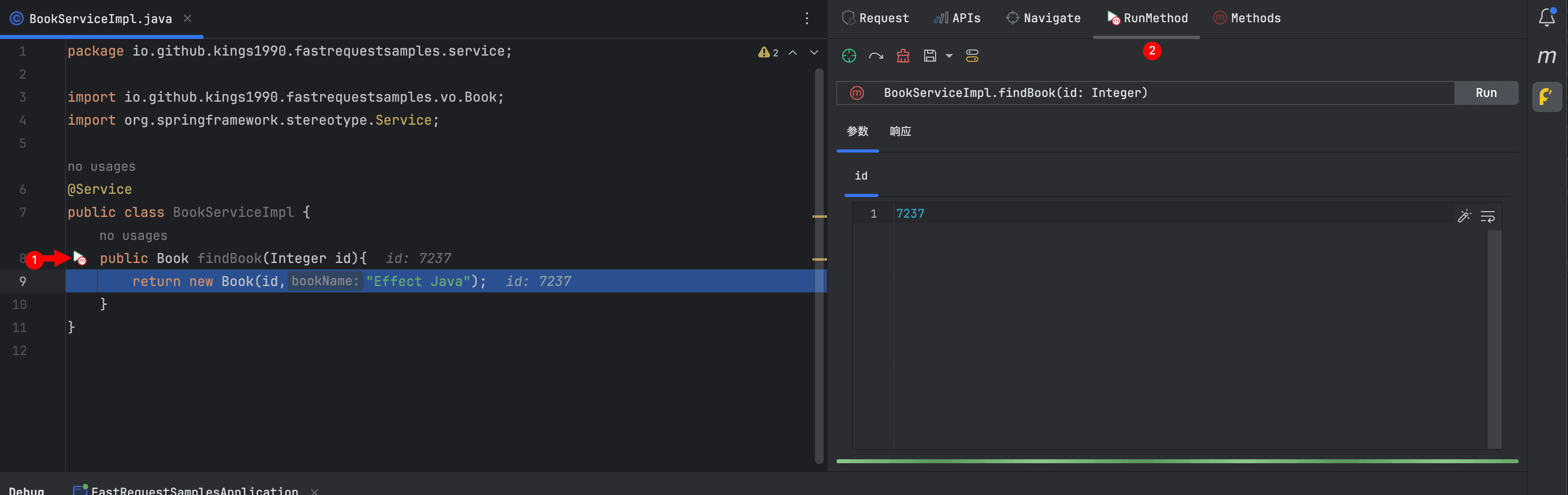
Click the icon on the left side of a Java/Kotlin method, or trigger RunMethod(FR) on the method. The plugin opens the RunMethod tab and generates parameter editors from the method parameters.
Parameters And Response
Each method parameter is displayed as an individual parameter editing tab, and parameter content is edited with a JSON editor. After modifying parameters, click Run to call the Bean method inside the running application and display the result in Response.
If the result is JSON, it is displayed with the JSON editor. Non-JSON results are displayed with the text editor.
Save Method
The Run Method toolbar supports saving the current method and parameter data. After saving, the same method can keep multiple parameter groups for different invocation parameters.
Supported operations:
- Navigate to method source code
- Regenerate parameters
- Clear current method, parameters, and response
- Save method and current parameters
- Save current parameters as a parameter group
- Switch saved parameter groups
Methods
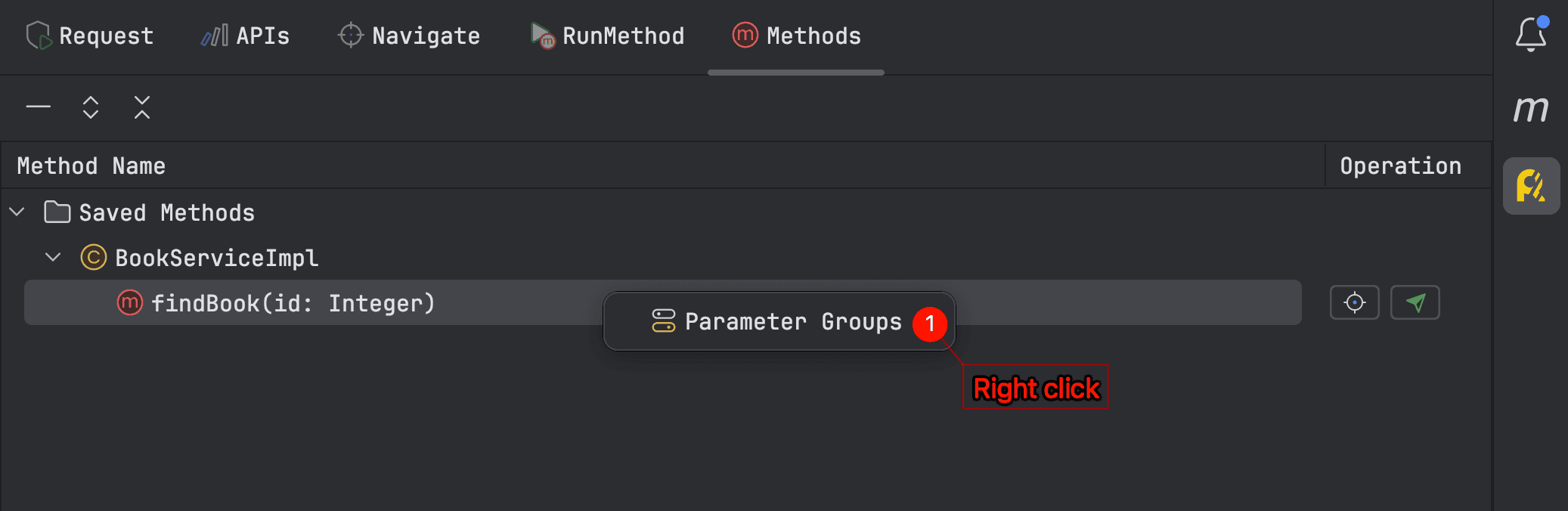
The Methods tab is used to view and manage saved methods. Saved methods are grouped by class, and each method row provides source navigation and run actions.
Double-click a saved method to open it and navigate to source code. Right-click a method to open the parameter group menu, then select a saved parameter group to switch to its parameter data.