
Online Document
Online Document Important feature
Online Document collects saved Fast Request APIs into a browsable and editable documentation workspace. Request parameters, schemas, and response examples come from the saved request data and can be viewed locally or shared over the LAN.
Open the workspace
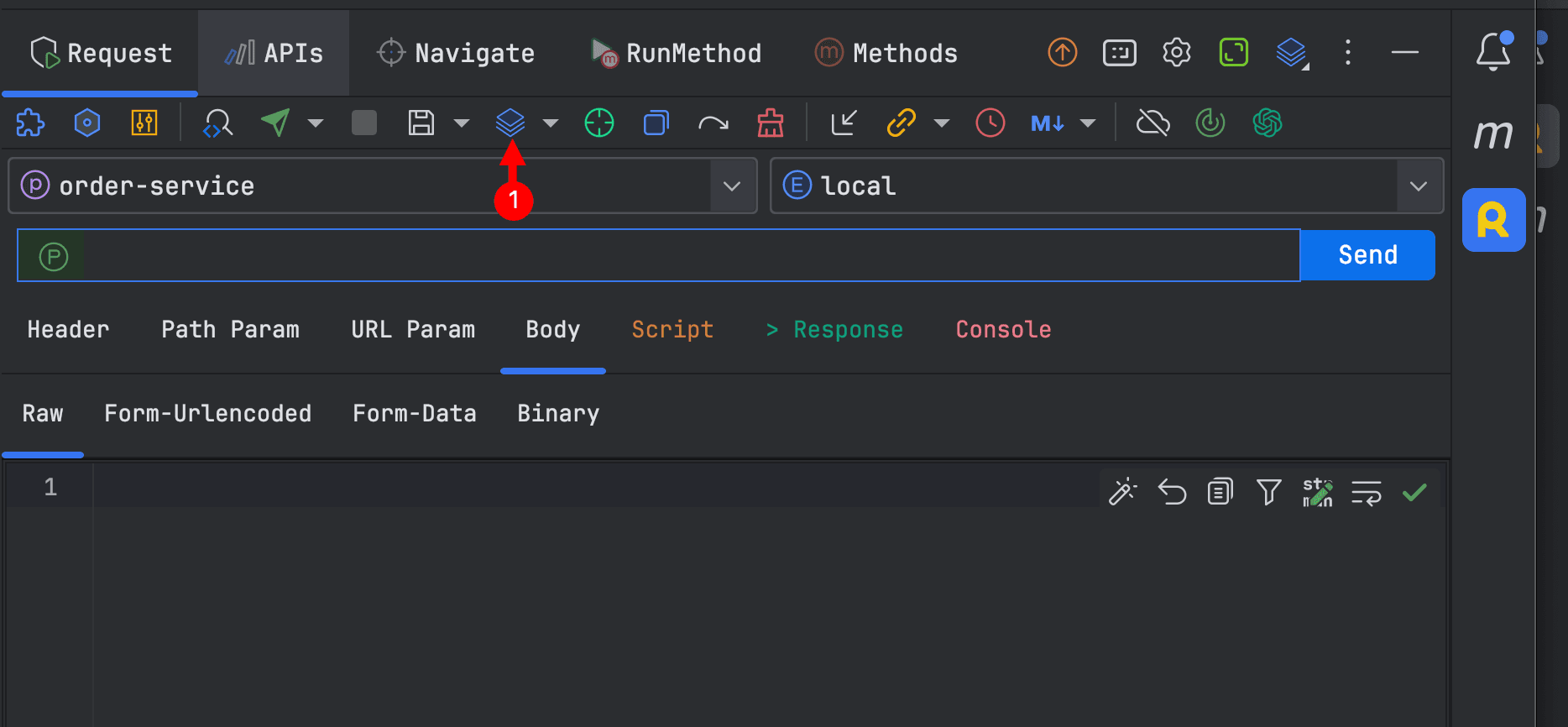
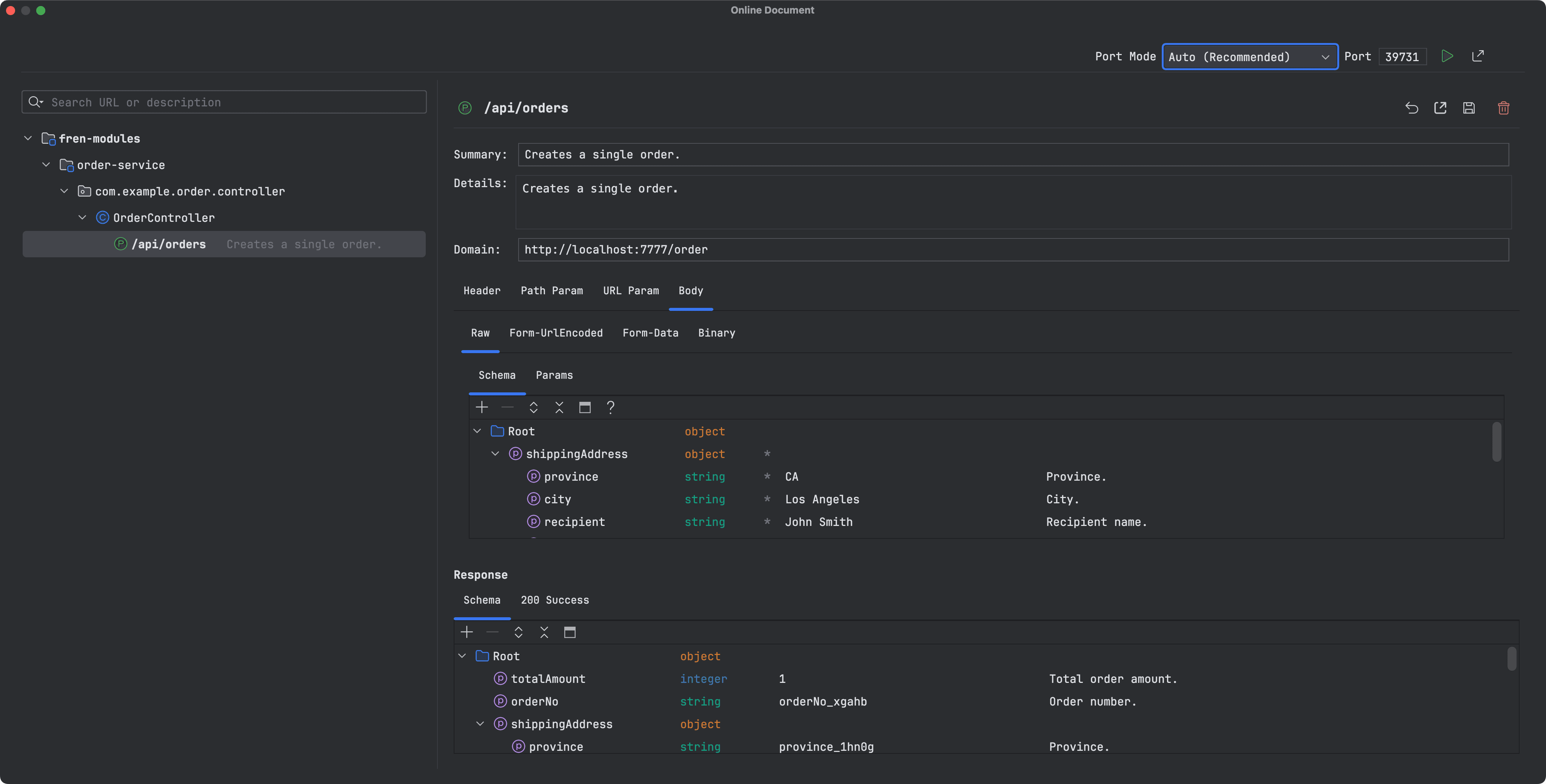
Click Online Document in the Request toolbar. The left side groups and searches synchronized APIs. The right side displays and edits API metadata, request parameters, request bodies, response examples, and schemas.
Change required fields in bulk
Select multiple schema rows and press Space to mark or unmark them as required.
Automatic synchronization
Open Online Document Settings and enable Automatically sync the online document after saving a request. Both a normal request save and batch API generation will then synchronize the final saved data.
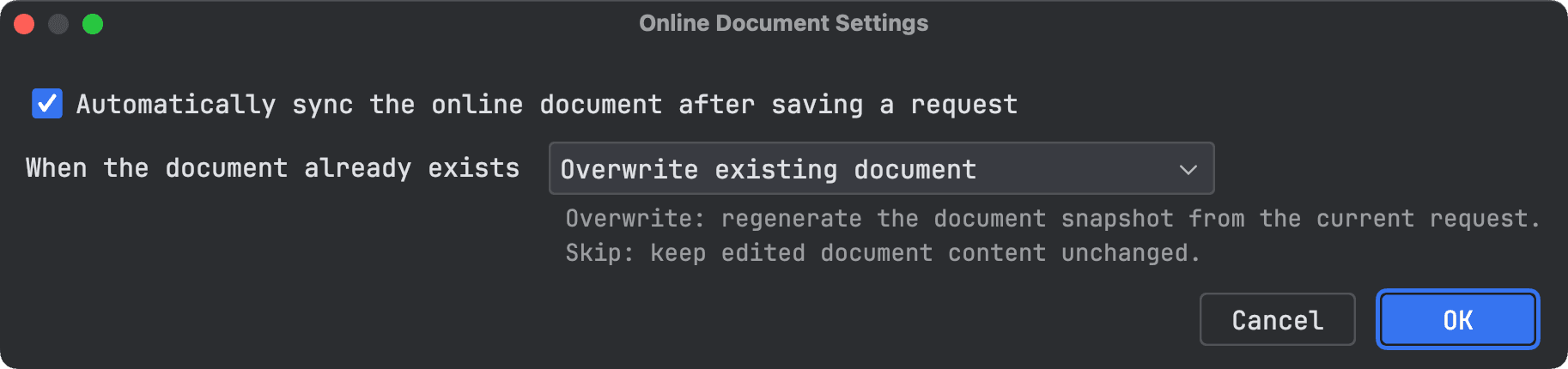
When a document already exists, choose one of these strategies:
- Overwrite existing document: rebuild the document snapshot from the current request. AI-optimized example values are included.
- Keep existing document and skip update: preserve manually edited document content.
Browser preview and sharing
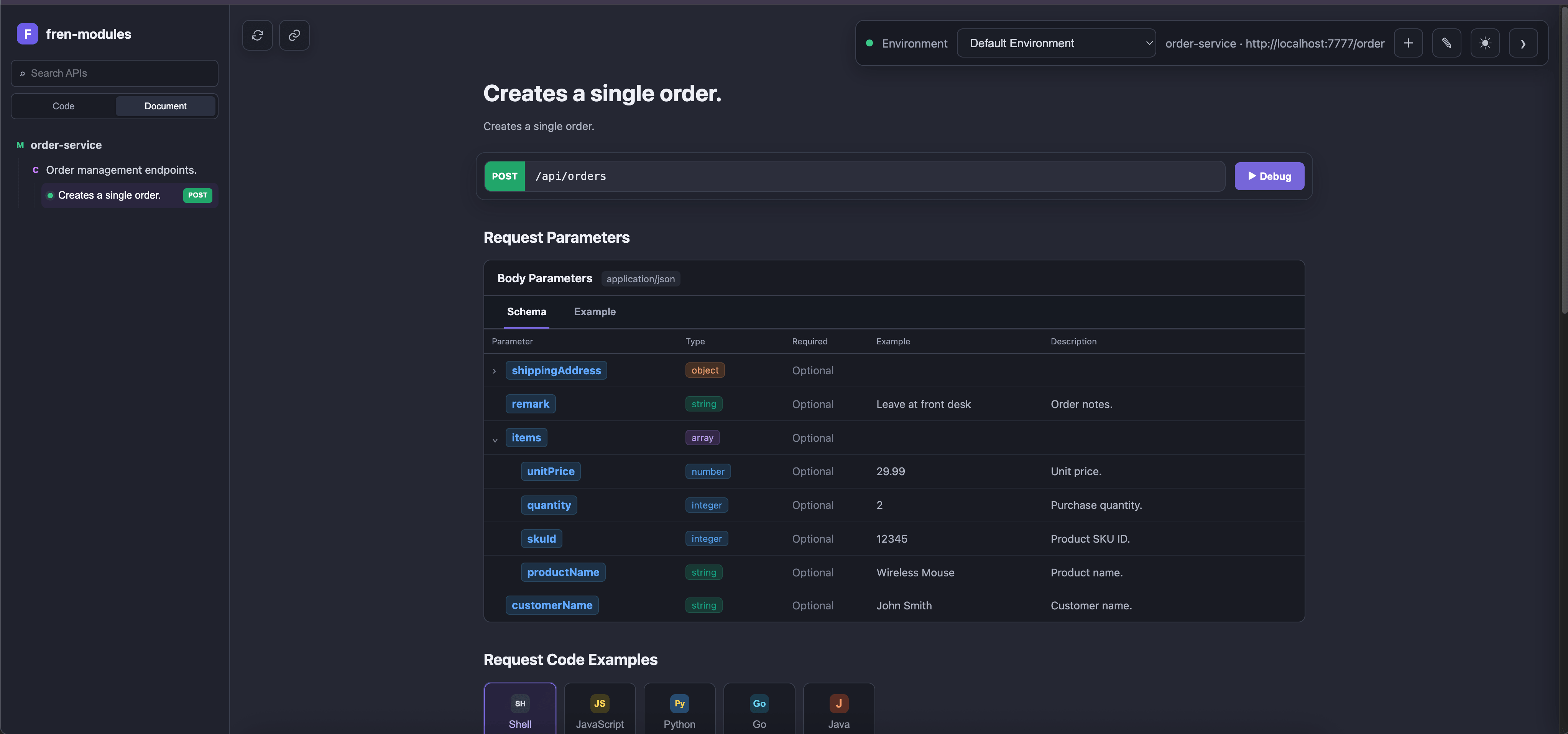
Start the service from the workspace to open the document in a browser:
- Use the local address for local preview.
- Share the LAN address with team members on the same network.
- Use an automatically selected port or configure a fixed port.
Recommended workflow
- Generate and review an API in Request.
- Use AI parameter optimization when realistic examples are needed.
- Save the request, or generate and save APIs for a class or package in bulk.
- Review the workspace, then start the service to share it.
Warning
The overwrite strategy replaces corresponding manual document edits with the latest request snapshot. Choose the skip strategy when those edits must be retained.